Getting Started with Capy Castaway
From wishlist to first muddy footprints on Castaway Island.
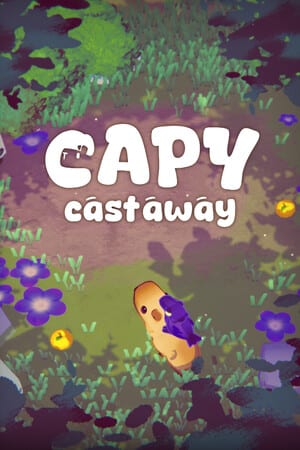
Capy Castaway launches on Steam on August 6, 2026 as a cozy narrative exploration adventure from Kitten Cup Studio and Big Blue Sky Games. You play as Capy, a curious capybara pup, alongside Corvi, a talkative crow, after a flood sweeps zoo animals far from home. This getting started guide orients you before that first session—whether you jump into the demo or wait for the full release.
What kind of game is this?
Expect low-stress exploration, environmental puzzles, animal NPCs, and story choices that can unlock multiple endings. The tone sits beside wholesome adventure peers: playful rather than punishing, curious rather than combat-heavy. Official materials highlight sniffing, digging, swimming, flying fetch runs, silly hats, and themes of friendship and belonging inspired by real Toronto memories and the famous High Park Zoo capybara escape.
Platforms and price snapshot
The game targets Windows and macOS on Steam, with Steam Deck as a natural fit for couch sessions. Launch pricing has been communicated around $17.99 USD with a possible launch-week discount—always confirm the live Steam store page. A soundtrack featuring work from Mark Sparling (known for A Short Hike) has been announced as related content.
Demo versus full game
An updated demo already lets you explore an expanded Swallow Town with two playable quests, new NPCs such as the Bells (cows who knew Capy before the flood), a gacha machine activity, and co-op via local play or Steam Remote Play Together. Demo interface support includes English, Japanese, and Brazilian Portuguese. Treat demo progress as a preview: systems and areas may deepen in the full August release.
First-hour checklist
- Confirm your input device using the Controls Hub.
- Skim How to Play so you understand switching between Capy’s ground tools and Corvi’s aerial reach.
- If a friend is joining, open Co-op & Remote Play before you start a quest.
- Wander, talk, and poke interactables—curiosity is the tutorial.
- Optionally track hats and side stories with the Collectibles Checklist.
Meet the duo early
Capy is largely silent, expressive, and great at digging up secrets or wearing improbable objects as hats. Corvi narrates, fetches distant items, and can carry Capy across short gaps. Solo players control both; co-op players can split the duo. Deeper ability notes live on Capy, Corvi, and Duo Combos.
Story tone without heavy spoilers
After the flood, lost things gather on a mysterious island. You will meet resident animals, help (or playfully ignore) requests, and slowly redefine what “home” means. Choices matter—see Multiple Endings when you are ready for branching context. Geography primers sit under Castaway Island and Swallow Town.
Accessibility of the pitch
Developers describe the experience as welcoming for partners, families, and first-time adventure players. That does not mean zero challenge: puzzles still ask you to combine abilities creatively. If you feel stuck, revisit Puzzle Basics before spoilers.
After you finish the first session
Wishlist or purchase on Steam using the site header CTA, read the Wishlist Guide if you are still deciding, and check Demo Notes plus the Release Timeline for dated milestones. When launch day arrives, return to this Guides section for expanded walkthroughs.
Getting started in Capy Castaway is less about min-maxing and more about noticing. Sniff the mud, shake the trees, wear the weird hat, and let Corvi complain about it—the adventure is built for that energy.
Frequently Asked Questions
Quick answers to the most common questions.
When does Capy Castaway release?
Steam launch is scheduled for August 6, 2026. Confirm final unlock time on the Steam store page.
Is there a demo?
Yes. An updated demo with Swallow Town content and co-op is available on Steam before launch.
Can kids play?
The game is pitched as family-friendly and low-stress, but always check the Steam rating and your own comfort with story themes.
Where do I learn controls?
Start at the [Controls Hub](/controls/) and pick keyboard, controller, or Steam Deck.